Hassette
An async-first Python framework for writing Home Assistant automations as code — with type safety, dependency injection, and a built-in test harness.
What is Hassette?
Hassette lets you write Home Assistant automations as Python classes instead of YAML. Each automation is an app: a Python class that subscribes to events, calls services, schedules tasks, and manages persistent state.
If you know Python, think of it as FastAPI-style dependency injection for Home Assistant events — handlers declare the data they need, and Hassette extracts it automatically from the event stream.
Who it's for: Python developers who have outgrown YAML automations — automations with complex logic, shared state, unit tests, or a need for type safety. Not sure if Hassette is right for you? See Is Hassette Right for You?
Why Hassette?
- Write automations as code — Python classes with full access to the language: loops, functions, libraries, modules.
- Async-first — built on
asyncio; sync apps are supported too. - Type-safe configuration — Pydantic models give validation, defaults, and IDE autocomplete for every app's settings.
- Dependency injection — handlers declare the fields they need; Hassette extracts them from the event automatically.
- App cache — built-in disk-backed cache for storing data across restarts, with rate-limiting and TTL support.
- Built-in test harness — unit-test automations with
AppTestHarness, event simulation, and time control. - Great DX — clear structured logs, fast iteration, and hot reloading during development.
See it in action
Autocomplete + type annotations
Type annotations and Pydantic models give you IDE autocomplete and inline docs for Home Assistant entities, services, and more.
Event handling made simple
Dependency injection extracts the data you need automatically - just declare it in your handler parameters.
Filter events with built-in predicates and conditions for clean, readable code.
Web UI
Monitor and manage your automations from the browser — view aggregate stats at a glance, manage apps, stream logs with filtering, and inspect handler and job telemetry. Enabled by default, no extra setup needed.
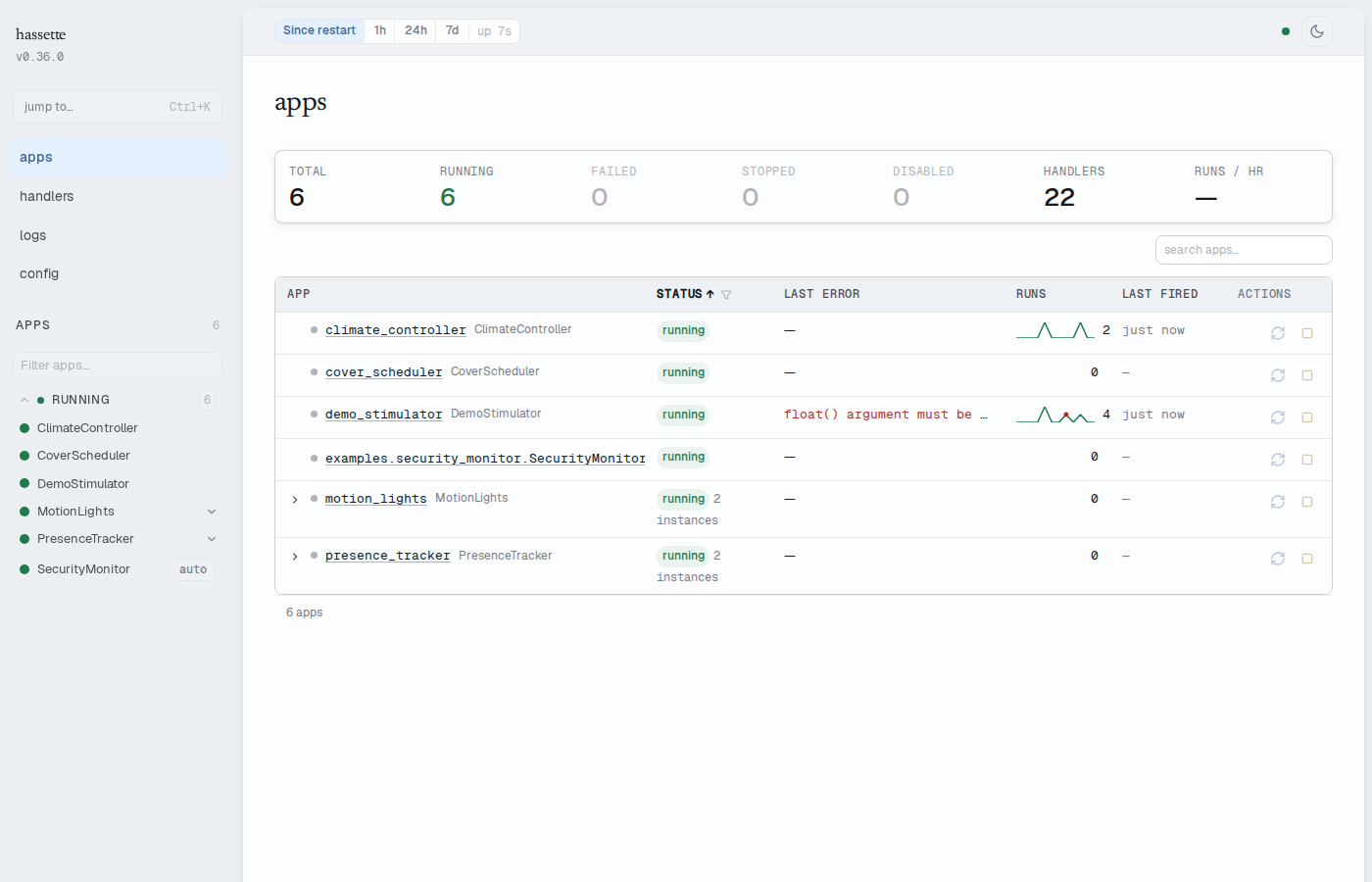
See the Web UI docs for a full tour.
What you can build
- Event-driven automations (state changes, events, scheduled jobs)
- Multi-instance apps with separate configs (e.g., "upstairs" and "downstairs")
- Smart notification systems with rate-limiting to avoid spam
- Apps that cache external API calls or remember state between restarts
- Typed, validated configuration for safer refactors
- Cleaner integrations with Home Assistant services and entities
Quick start
uv init --no-readme hassette-project
cd hassette-project
uv add hassette
Then follow the Quickstart guide — you'll have a running app in about 30 minutes.
Already using AppDaemon?
Hassette offers three concrete improvements over AppDaemon:
- Pydantic-validated configuration — app settings are typed
AppConfigmodels, not rawself.argsdicts. Missing fields fail at startup with a clear error, not at runtime when a handler fires. - Built-in test harness —
AppTestHarnessruns your app against aRecordingApiin place of a live HA connection. Simulate state changes, assert on service calls, and control time — no mocking required. - Dependency injection for event handlers — handlers declare the fields they need as type annotations; Hassette extracts and converts them automatically. No manual payload parsing.
See the Migration Guide for a concept-by-concept comparison and step-by-step checklist.
Next steps
- Is Hassette right for you? Is Hassette Right for You?
- Local setup: Quickstart
- Production: Docker Deployment
- Architecture overview: Core Concepts
- Full configuration: Configuration Overview
- Migrating from AppDaemon? Migration Guide