Code Tab
The Code tab displays the full Python source file for the app with syntax highlighting, line numbers, and annotations showing where each handler is registered. Use it to read the implementation of an automation, trace a handler registration to its exact line, or navigate here from the Handlers tab to see the source in context.
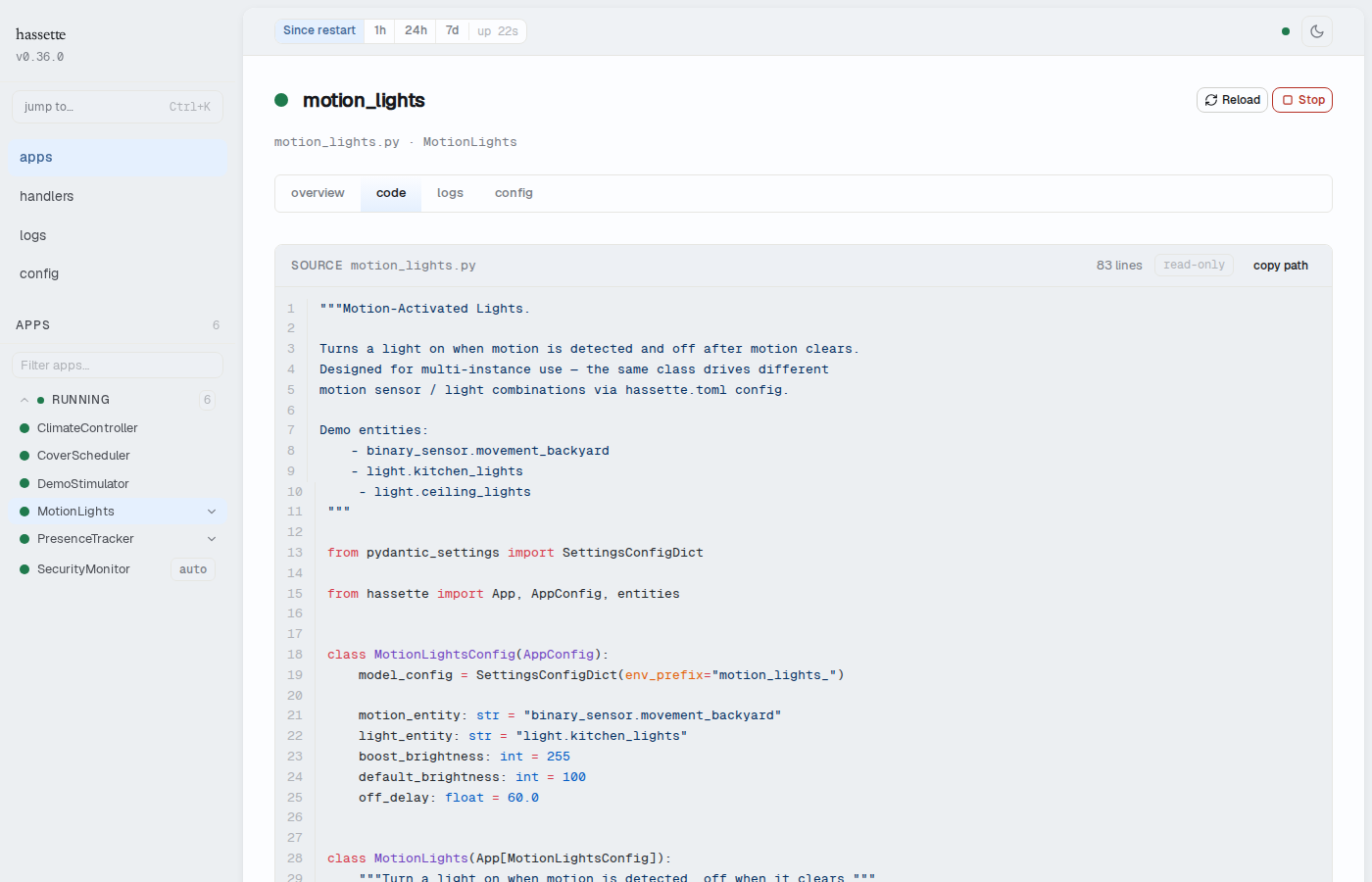
Source header
The header bar above the source viewer shows:
- Source label with the filename (monospaced) — the path as loaded by Hassette
- Line count — total number of lines in the file
- read-only badge — the source viewer is display-only; edits are made in your editor
- copy path button — copies the full filename to the clipboard
Syntax highlighting
The source is highlighted using Shiki with Python grammar. The color
theme follows your current hassette theme: the github-light theme is used in light mode,
github-dark in dark mode. Switching themes via the status bar
updates the syntax colors without reloading.
Each line is numbered in the left gutter. Lines are individually addressable via the deep link feature.
Handler annotations
Lines where handlers are registered are highlighted in the gutter. When you hover over an annotated line, a tooltip shows the handler method name (or names, if multiple handlers are registered on the same line).
The annotation data comes from the same source locations stored when handlers are registered — the same file and line number shown in the Source field on the Handlers tab.
Note
Handler annotations are only visible on lines that registered a handler. In a typical
app this is a small number of lines, usually inside on_initialize. If the
on_initialize method is not in view, scroll to find the annotated lines.
Deep-linking to a line
Append ?line=N to the URL to open the Code tab with line N scrolled into view and
highlighted. The page scrolls smoothly to the target line on load.
The view in code → link on the Handlers tab uses this mechanism: clicking it navigates to the Code tab with the handler's registration line already focused.
You can also construct deep links manually to share a specific line with a teammate:
/ui/apps/climate_controller/code?line=42
Related pages
- Handlers tab — the view in code → link on each handler navigates here with the registration line focused
- App Detail — shared elements: breadcrumb, header, instance switcher, and tab strip