Config
The Config page shows the active Hassette configuration as a read-only view. Use it to confirm what settings the running instance loaded — useful when verifying that a config file change took effect after a reload.
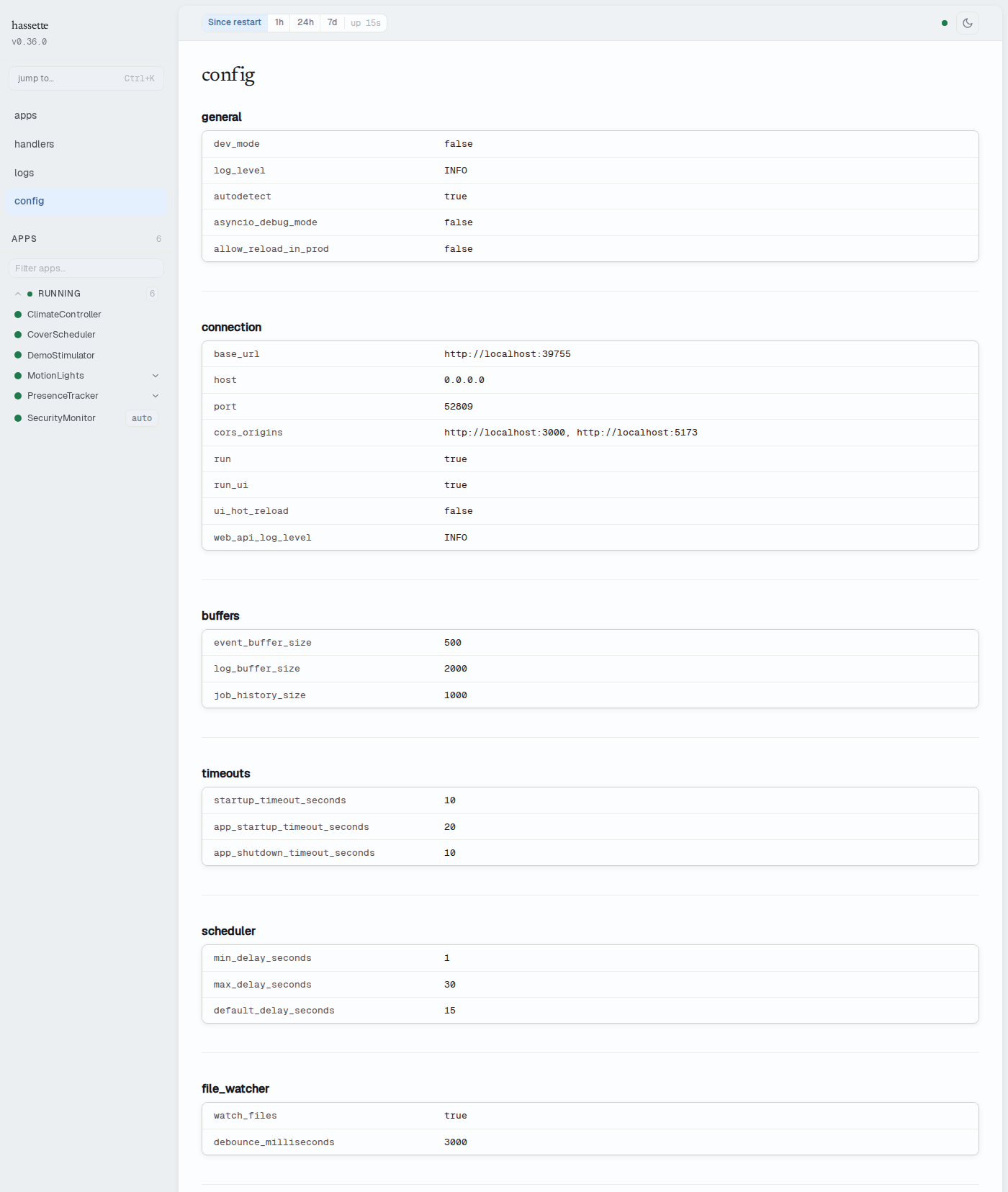
Configuration groups
Settings are organized into seven groups, each displayed as a card with a
key-value table. Keys are shown as displayed in the UI — see
Global Settings for the
corresponding hassette.toml setting names.
Values reflect the configuration as loaded at the most recent startup or reload. The page does not stream live updates — refresh your browser after a Hassette reload to see updated values.
- general —
dev_mode,log_level,autodetect,asyncio_debug_mode,allow_reload_in_prod - connection —
base_url,host,port,cors_origins,run,run_ui,ui_hot_reload,web_api_log_level - buffers —
event_buffer_size,log_buffer_size,job_history_size - timeouts —
startup_timeout_seconds,app_startup_timeout_seconds,app_shutdown_timeout_seconds - scheduler —
min_delay_seconds,max_delay_seconds,default_delay_seconds - file_watcher —
watch_files,debounce_milliseconds - paths —
app_dir,data_dir,config_dir
Value formatting
Values are rendered as follows:
- Booleans —
trueorfalse - Numbers — plain numeric value
- Arrays — comma-separated list
- Null or empty —
—
Related pages
- Configuration — reference for all available settings and how to change them
- Web UI Overview — enabling, accessing, and configuring the web UI